One toolbox for every AI you use.
- PLATFORMS
- ChatGPT · Claude · Grok
- STORAGE
- In your browser
- PROMPTS
- One library, all three
- SEARCH
- Ctrl+Shift+F, every message
- LANGUAGES
- 5, including RTL Arabic
Save a prompt in ChatGPT and use it in Claude or Grok. Search every chat on every model at once. Start from expert prompts, with new ones added every week. Keep every chat list organized. All of it stored in your browser.
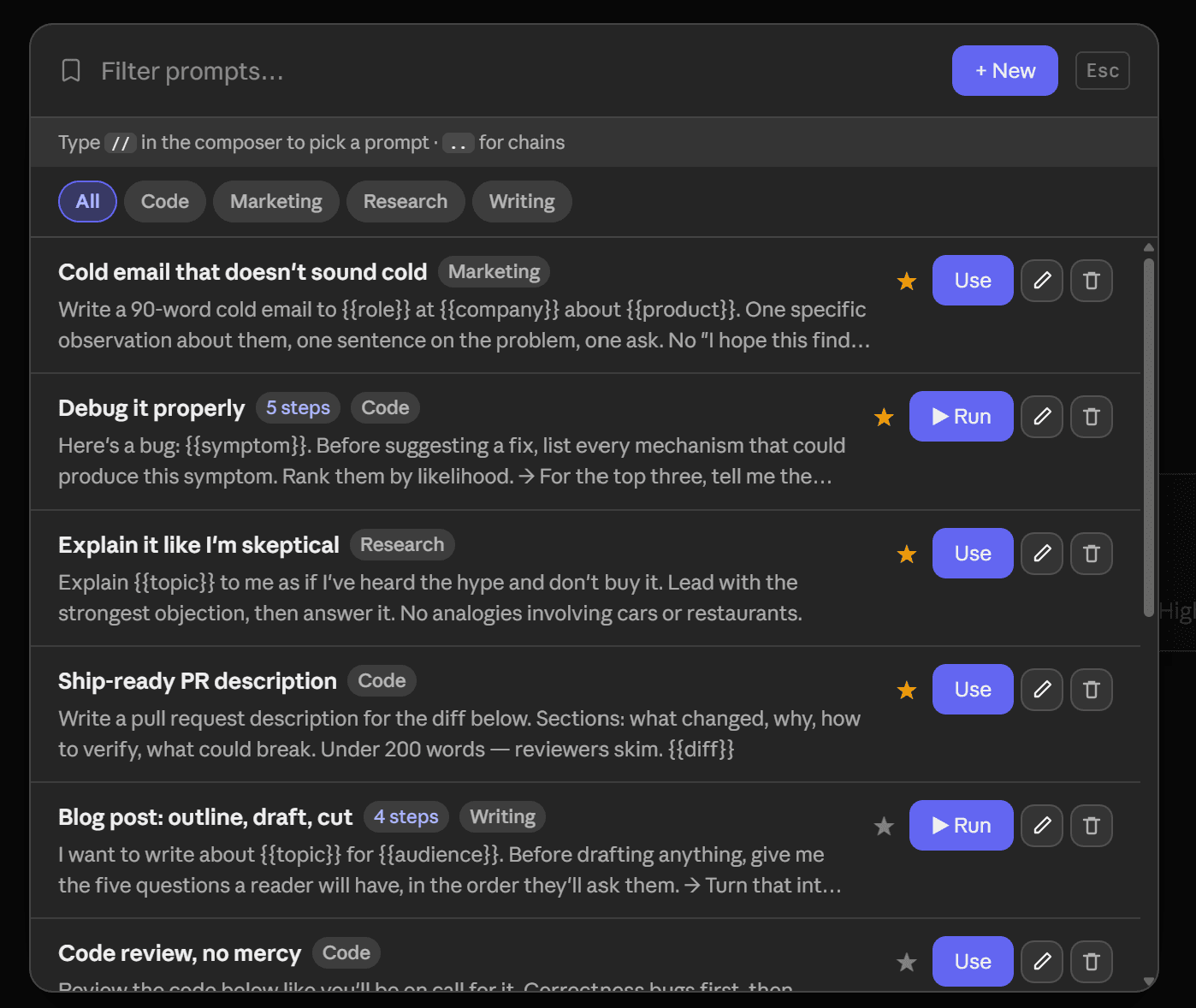
Write it once, use it on any model
Your prompt library is one collection, shared across ChatGPT, Claude and Grok. Save a prompt on one and it is already on the other two. Type // in any composer to insert it, and fill in its {{variables}} in a short form first.
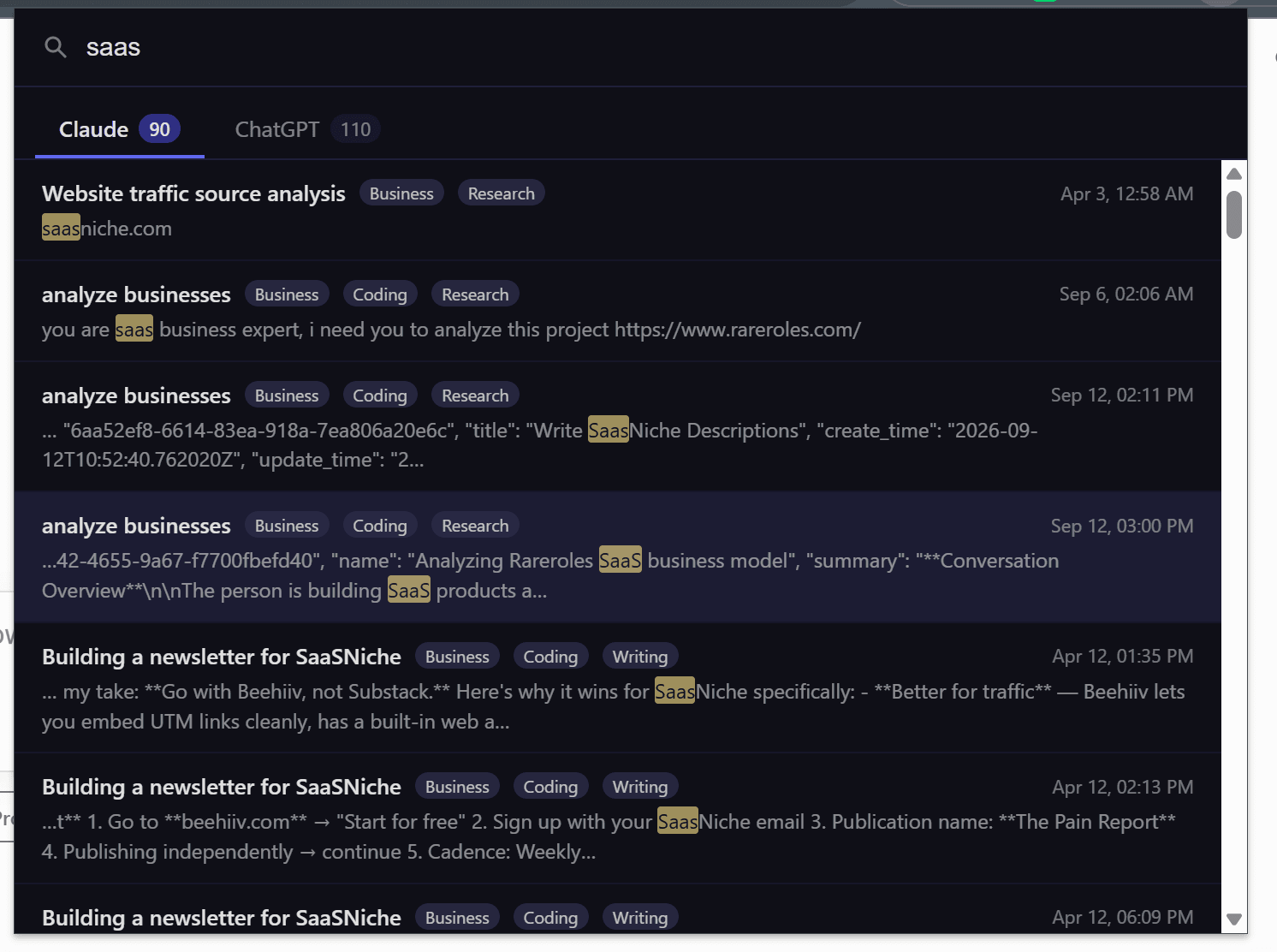
Was it ChatGPT, Claude or Grok? Doesn't matter.
One search across every chat on every model. Press Ctrl+Shift+K from any Chrome tab and all three answer together, grouped into tabs with a count each. Searching every model at once is the All Access plan; every plan searches each model on its own site.
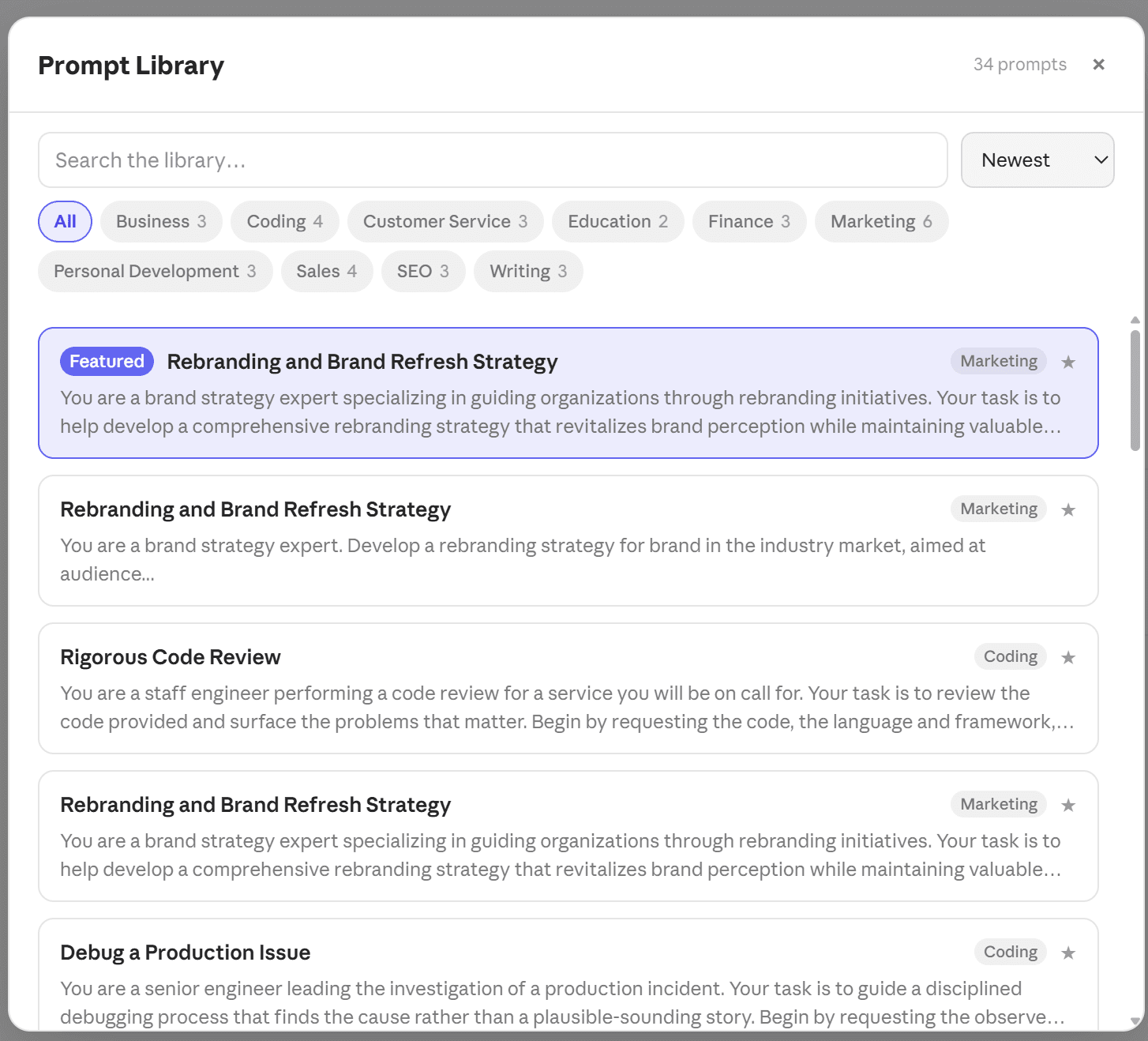
Better prompts, better answers
A curated library of expert prompts, each written as a full brief: the role to take, what to ask you first, how to structure the answer. Use one as-is, or save it to your own library and edit it. New prompts are added every week.
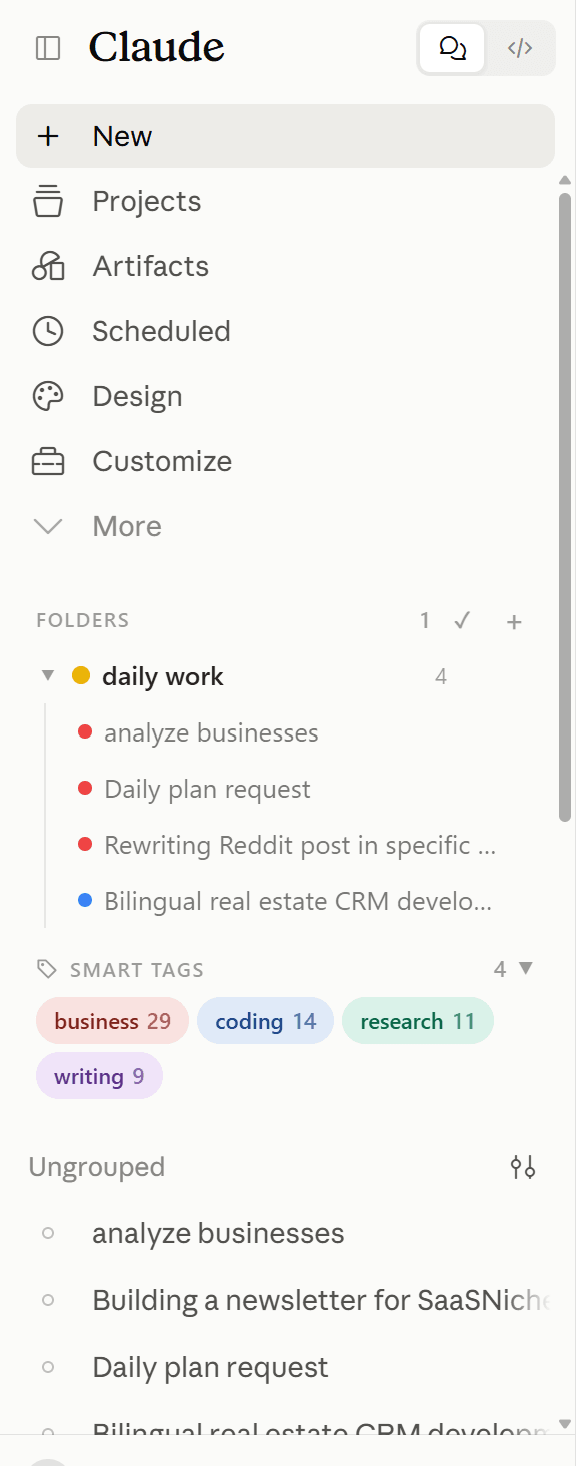
Folders, tags and bookmarks on each model
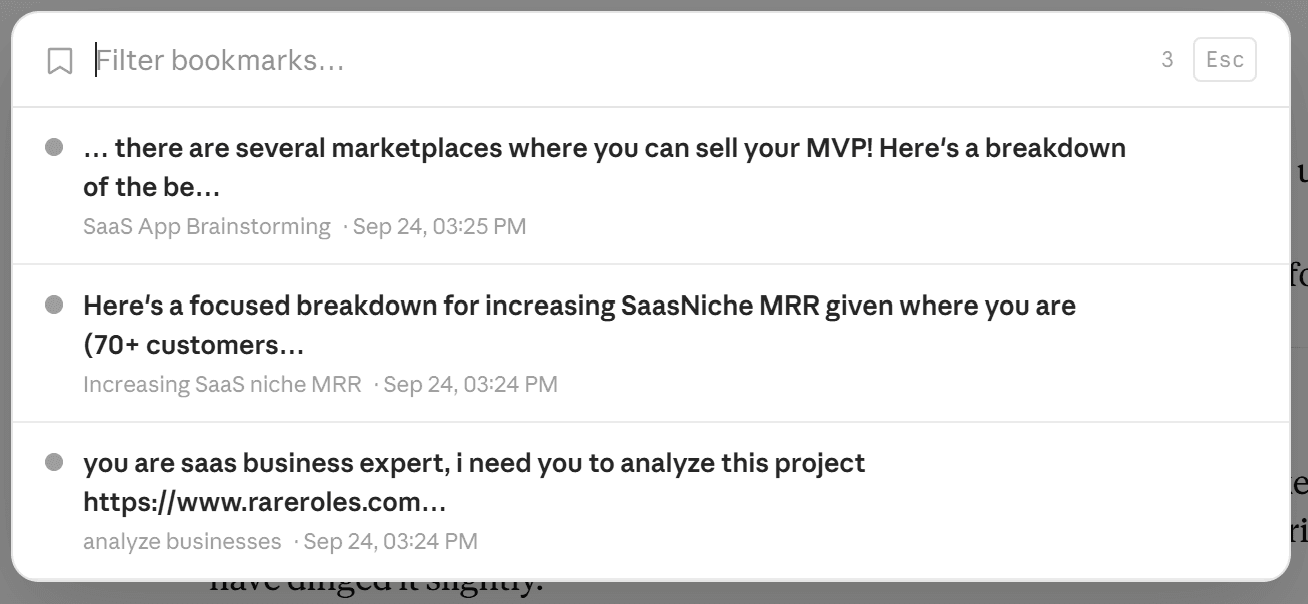
Nested, colour-coded folders on ChatGPT, Claude and Grok. Smart tags sort everything else automatically — Coding, Writing, Research, Math & Science, Business — by rules that run on your device. Bookmark the reply that mattered, and export any chat to Markdown or PDF.
05–08 — The rest of the toolbox
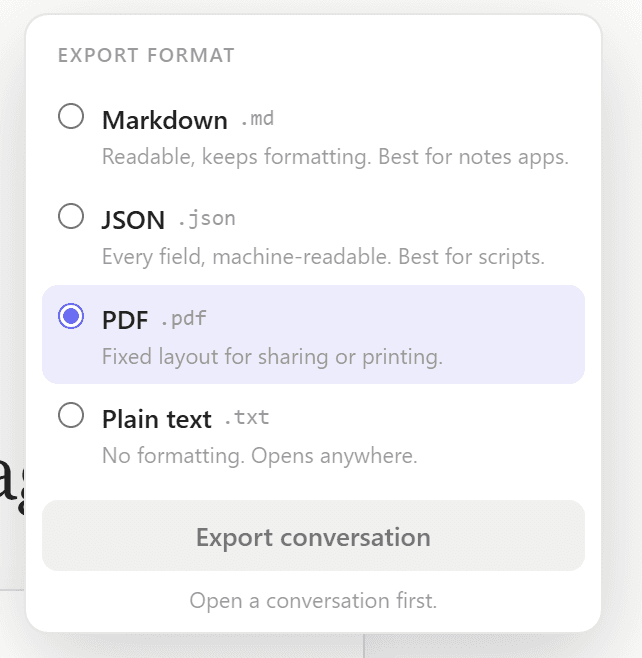
Everything else the chat sites leave you to do by hand — every featureMarkdown, PDF, JSON, TXT
One conversation, or a selection as a ZIP. Free tier exports TXT.
Star the one reply that mattered
Colour labels, notes, and a click back to the exact message.
Know how full the window is
A context-window meter and a live word, character and sentence count as you type, on ChatGPT and Claude.

Five, and Arabic is genuinely RTL
English, Arabic, Spanish, French, German. You pick it in options; every panel updates immediately — it doesn't follow your Chrome language.
Privacy isn't a policy. It's the architecture.
Most extensions that "organise" your AI chats do it by uploading them to a cloud database. ChatPeer has no such database — not because we promise it, but because there is no server that could receive them.
Indexed in your browser
Messages and the search index live in IndexedDB, the same storage that holds your bookmarks.
Two requests, ever
A licence check — your key and a random install ID — and the prompt catalogue when you open it, which sends only what you type into its own search box. Neither carries conversation content, and nothing records which prompts you use.
No account
There is nothing to sign up for, so there is nothing to leak. Privacy policy
Free to start, lifetime available
Free covers 2 folders, 2 saved prompts, 5 search results, TXT export, smart tags and a selection of expert prompts. Paid plans lift the limits on all three models; All Access adds search across every model at once.
Questions
No. ChatPeer builds a full-text index locally in IndexedDB — the same storage that keeps your bookmarks. Conversation content never reaches our servers.
A folder tree and smart tags in the sidebar, export and bookmark buttons in the conversation header, and a floating button that opens everything from one menu.
Free: 2 folders, 2 bookmarks, 2 saved prompts, 5 results per query, TXT export and a selection of expert prompts — plus smart tags, the context meter and all five languages. Paid plans unlock the rest; searching every model at once needs All Access.
Up to 3 devices per license. Each device is identified by a randomly generated ID, not your hardware.
Click Add to Chrome and confirm. It starts working on chatgpt.com, claude.ai and grok.com straight away — no setup, no login, nothing to configure.
ChatGPT, Claude and Grok, from one extension. Every plan covers all three, free included, and your saved prompts are one collection shared by all three. Prompt chains run on ChatGPT and Claude, and are not on Grok yet; bulk delete and the context meter are ChatGPT and Claude only.
With All Access. Ctrl+Shift+K from any Chrome tab opens one window with a tab per platform — none of the sites needs to be open.
English, Arabic, Spanish, French and German. You pick it in options and every panel updates immediately — it doesn't follow your Chrome language. Arabic is genuinely right-to-left.
Add one toolbox to every AI you use
Free to install. 100% local. No account, nothing uploaded.